

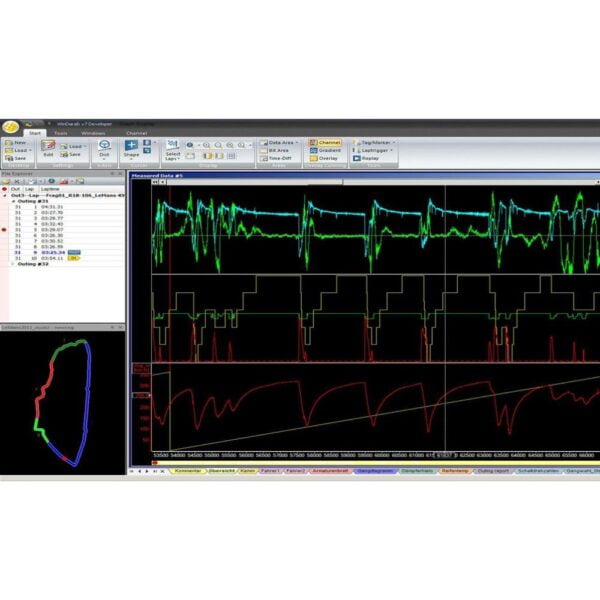
Bosch Motorsport WinDarab Expert is the full version of Bosch’s data analysis software, used by race engineers to turn logged and live telemetry into decisions. It reads out both engine and chassis data, then lets you overlay laps, build math channels, run FFT analysis, analyse synced video and generate reports without the limits of the Free edition. WinDarab Expert is now offered in two licence tiers — a single-user licence for under €1,000 and a three-user licence — both unlocking the identical full Expert feature set. The single-user licence brings professional-grade Bosch data analysis within reach of privateers and smaller teams who previously ran the Free version.
Technical Specifications
| Property | Value |
|---|---|
| Software | Bosch Motorsport WinDarab V7 Expert |
| Version | v7.11 |
| Licence options | 1 User (BG02.000.076) or 3 User (BG02.000.006) |
| Operating system | Windows 10 or 11 |
| Minimum CPU | Pentium / AMD-compatible, ≥ 1.6 GHz |
| Minimum RAM | 1 GB |
| Disk space | 1 GB free |
| Display | 1,024 × 768 minimum |
| Supported data files | .bmsbin, ASCII, MDF (.mf4) |
| Licensing | Dongle-free; internet activation |
| Superseded Bosch P/N (3 User) | F02U.V01.308-01 |
1 User vs 3 User licence
| Expert 1 User | Expert 3 User | |
|---|---|---|
| Bosch order number | BG02.000.076 | BG02.000.006 |
| Seats | 1 | 3 |
| Licence migration (PC to PC) | 1× per year | 3× per year |
| Feature set | Full Expert | Full Expert (identical) |
| Maintenance / COM-API / External Data Stream | Same part numbers and price | Same part numbers and price |
What you can do with it
- Overlay laps and analyse on a time or distance basis
- Build user-defined math channels with constants and scripting in the math editor, and save them in the data file (persistent math channels)
- Filter data with user-defined conditions and run FFT analysis
- Create and segment racetracks from speed / lateral-G or GPS data
- Replay live telemetry and offline data in real time with configurable gauges
- Analyse synced video from a local file or network stream
- Generate lap reports, outing reports, min/max tables, histograms, x/y plots and distributions
- Prepare calibration data with the Map Creator
- Protect and encrypt logged data files
WinDarab Free vs Expert
| Capability | WinDarab Free | WinDarab Expert |
|---|---|---|
| Max open files | 2 | Unlimited |
| Max measuring data windows | 4 | Unlimited |
| Max areas per window | 2 | Unlimited |
| Lap analysis | No | Yes |
| Flowcharts | No | Yes |
| Video analysis (local / network) | No | Yes |
| Math operators | Basic (+ − × ÷ ^ sqr sqrt) | All operators |
| User constants & persistent math channels | No | Yes |
| Events, hardware & user-defined rules | No | Yes |
| Telemetry External Data Stream | No | Optional yearly licence |
| ASCII export | No | Yes |
| Supported data files | .bmsbin | .bmsbin, ASCII, .mf4, etc. |
| COM-API | No | Optional yearly licence (active maintenance required) |
| Maintenance & support | None | Yearly maintenance + built-in Feedback System |
Licences and add-ons
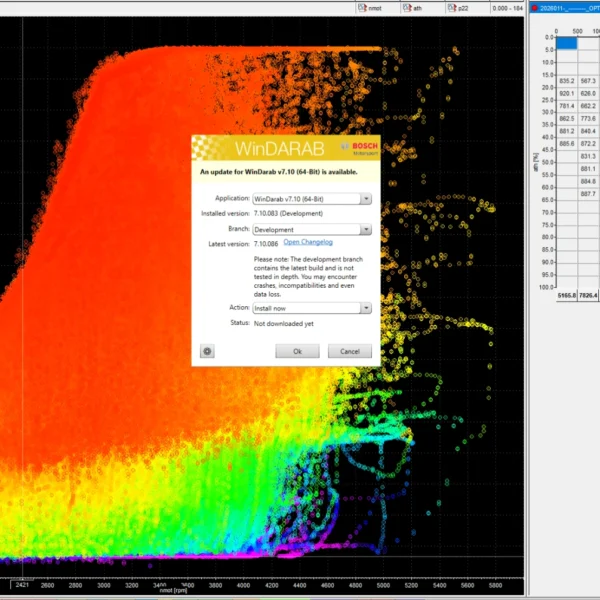
- Bosch Motorsport WinDarab V7 License Annual Maintenance — keeps Expert updated to the latest version; required for the COM-API and External Data Stream options
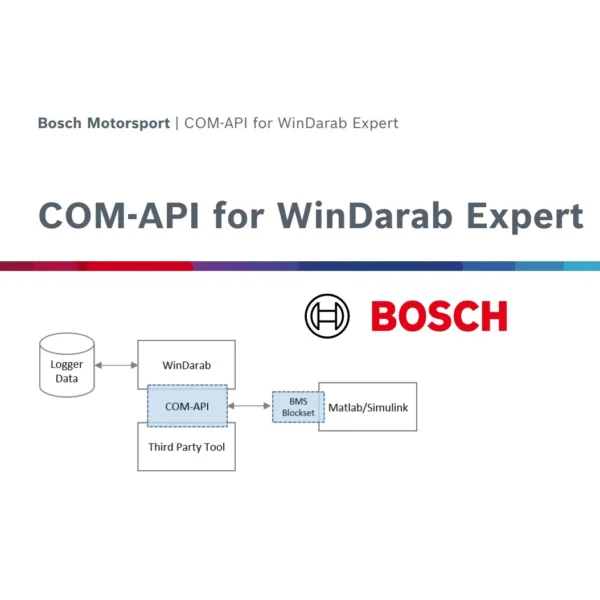
- Bosch Motorsport COM-API for WinDarab Expert — control and automate WinDarab and build Ribbon plugins (requires active maintenance)
- Telemetry External Data Stream (optional yearly licence) — display live telemetry from non-Bosch systems, such as MoTeC, inside WinDarab Expert. It is not limited to Bosch Motorsport hardware, and requires active maintenance.
What is the difference between the 1 User and 3 User Expert licence?
Both unlock the identical full Expert feature set. The 1 User licence (BG02.000.076) covers one seat and allows moving the licence between PCs once per year; the 3 User licence (BG02.000.006) covers three seats and allows migration three times per year. Yearly maintenance, COM-API and External Data Stream use the same part numbers and prices for both tiers.
How is Expert different from WinDarab Free?
Free is limited to two open files, four data windows and two areas per window, with no lap analysis, no flowcharts, no video analysis and only basic math operators. Expert removes those limits and unlocks lap analysis, flowcharts, video analysis, full math channels, ASCII and MDF (.mf4) file support and more.
Does WinDarab need a hardware dongle?
No. All WinDarab V7 licences are dongle-free and activated over the internet.
Do I need the annual Maintenance licence?
Maintenance entitles you to new software versions and built-in support, and it is required to run the COM-API and External Data Stream options. It uses the same part number for both Expert licence tiers.
What operating system and PC does it need?
Windows 10 or 11, with a Pentium / AMD-compatible CPU at 1.6 GHz or more, 1 GB RAM, 1 GB free disk and a 1,024 × 768 display as a minimum.

Reviews
There are no reviews yet.