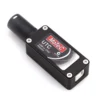

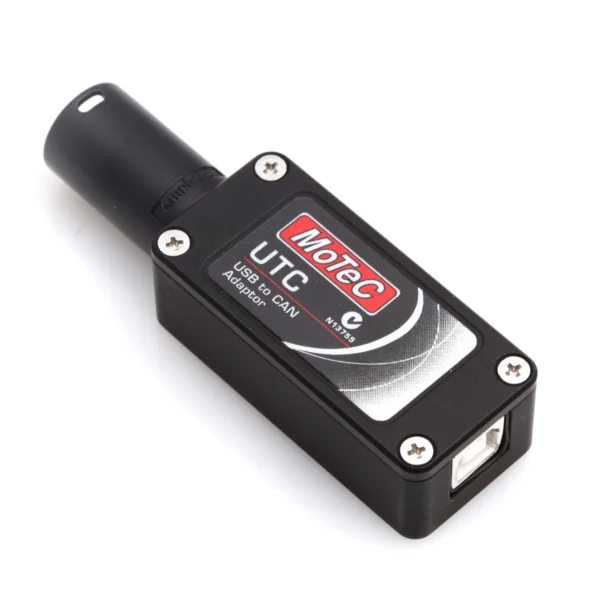
The MoTeC UTC is the standard USB-to-CAN interface for MoTeC data acquisition and engine management work. It connects a Windows laptop to MoTeC devices that have a UTC port — ADL and ADL2 data loggers, M84, M400, M600, and M800 ECUs, PDM15/PDM32 power distribution modules, and the Lambda LTC wideband controller — via the vehicle’s CAN bus. Without the UTC, downloading logged data, monitoring live channels, or making calibration changes requires an alternative CAN interface.
The UTC is powered from the laptop’s USB port. No external power supply or driver installation beyond the MoTeC software package is required on a modern Windows system.
What you can do with the UTC
- Download log files from MoTeC ADL, ADL2, and compatible data loggers to i2 Pro for analysis
- Monitor live CAN data channels in real time via MoTeC Interpreter or i2 Pro Online mode
- Upload ECU calibrations and map changes via MoTeC ECU Manager (M400/M600/M800/M130/M150/M1)
- Configure and update PDM15/PDM32 power distribution modules
- Update firmware on supported MoTeC devices
UTC port connection
The UTC connects to the vehicle-side loom via the UTC circular connector. Two options:
- MoTeC UTC Connector Black (UTC.BLACK, €16.94) — bare loom connector for harness builders who are terminating their own CAN wire to the UTC port
- MoTeC CAN Cable and UTC Loom Connector In-line (M65038, €17.93) — ready-made CAN cable assembly with UTC connector pre-fitted, for those who do not want to build the loom connection from scratch
Technical Specifications
| Property | Value |
|---|---|
| Part number | M61059 |
| Interface — PC side | USB |
| Interface — device side | UTC circular connector (CAN bus) |
| Power | USB bus-powered |
| Compatible software | MoTeC i2 Pro, MoTeC ECU Manager, MoTeC Interpreter, MoTeC Display Manager |
| Operating system | Windows 7 / 10 / 11 |
Compatible MoTeC Devices
| Device | Use with UTC |
|---|---|
| ADL / ADL2 data logger | Log download, live monitoring |
| M84, M400, M600, M800 ECU | Calibration, live monitoring |
| PDM15 / PDM32 | Configuration, firmware update |
| Lambda LTC | Configuration, calibration |
Note: MoTeC M1 series ECUs connect via Ethernet — the UTC is not used with these devices.
FAQ
Do I need the UTC to use i2 Pro?
To download log data from a MoTeC logger and analyse it in i2 Pro offline, yes. Without a UTC or compatible CAN interface connected to the logger, data cannot be transferred to the laptop. Some newer MoTeC devices support USB direct or SD card download as an alternative — check your device manual.
Does the UTC work with all MoTeC ECUs?
The UTC is compatible with MoTeC devices that have a UTC port on their CAN bus: M84, M400, M600, M800 ECUs, ADL/ADL2 data loggers, PDM15/PDM32, and the Lambda LTC. MoTeC M1 series ECUs connect via Ethernet — the UTC is not required or used with these devices.
What connector do I need on the loom side?
The vehicle-side loom requires a UTC connector at the point where the UTC plugs in. If building your own harness: UTC Connector Black (UTC.BLACK). If you want a ready-made cable: MoTeC CAN Cable and UTC Loom Connector In-line (M65038).




Reviews
There are no reviews yet.